How to find your contracts
In the customer portal, you can easily view your contracts and the associated contract documents online.
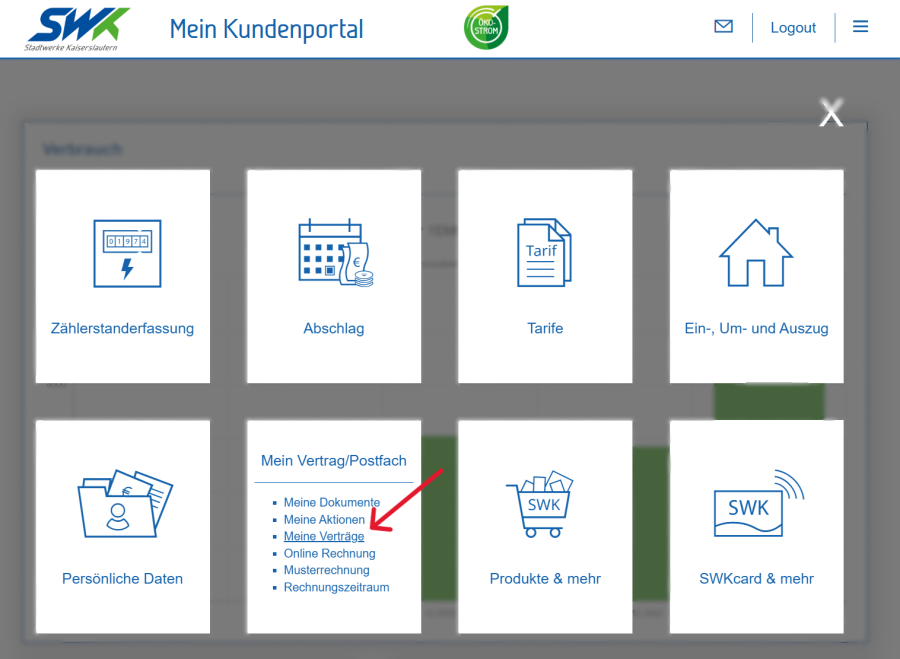
Log in to the customer portal
Open the 'My Contract/Inbox' tile
Click on ‘My Contracts’
Select a contract account and confirm by clicking ‘Next’
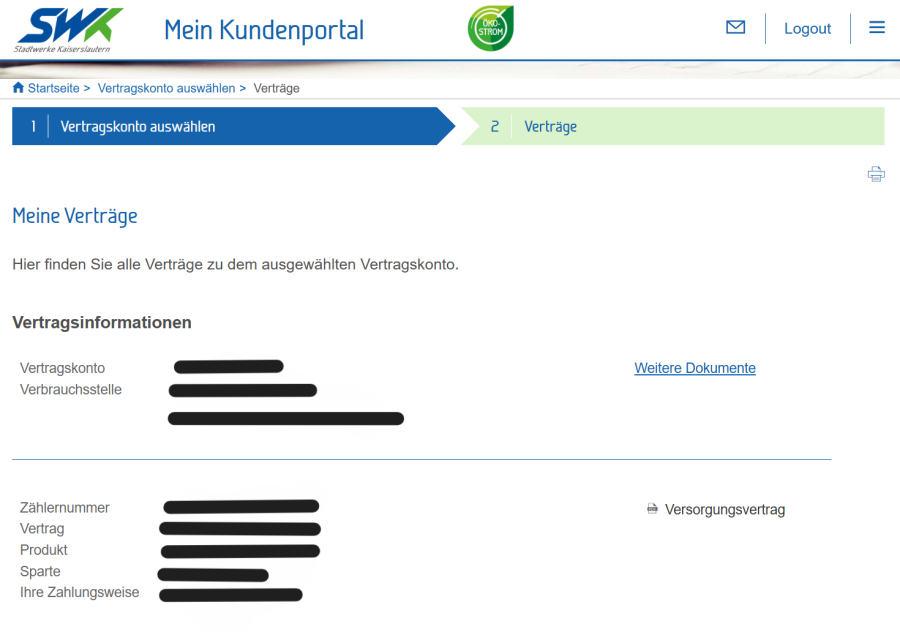
If you click on ‘Further documents’, you can view your invoices and contract documents and download them as PDF files
If you click on ‘Supply Contract’, you can view the supply contract you have completed for the selected address
