
Back to overview

Change bank details

You can change your bank details quickly and easily via the customer portal or by contacting our customer service team

How to update your bank details

You can easily update your registered bank details yourself at any time via the customer portal.
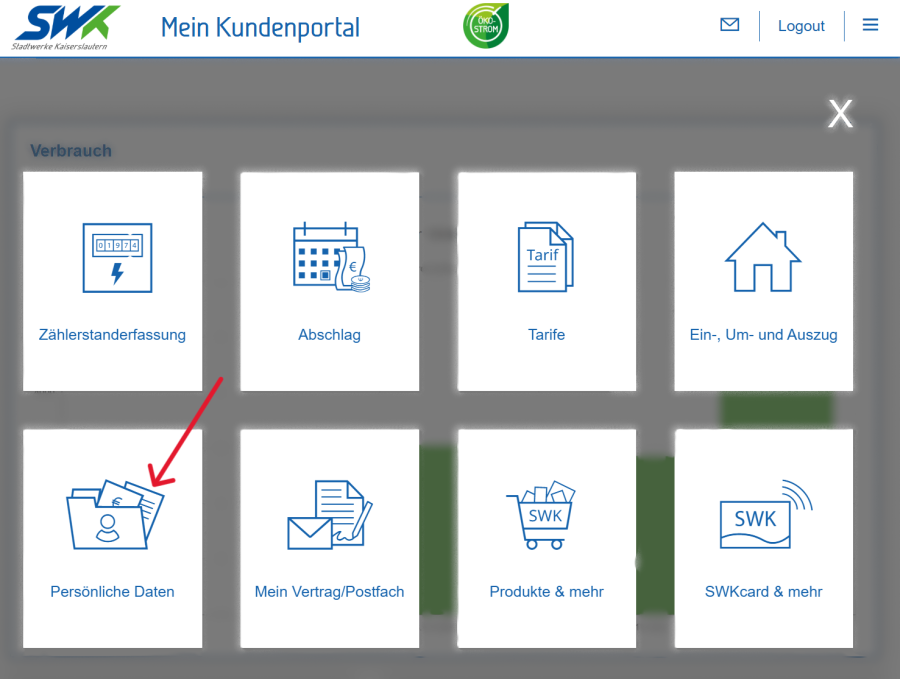
Kaiserslautern Municipal Utilities customer portal, featuring options for meter readings, advance payments, tariffs, moving house, personal details, contracts, products and the SWKcard.

Log in to the customer portal.

Open the ‘Personal details’ tile.
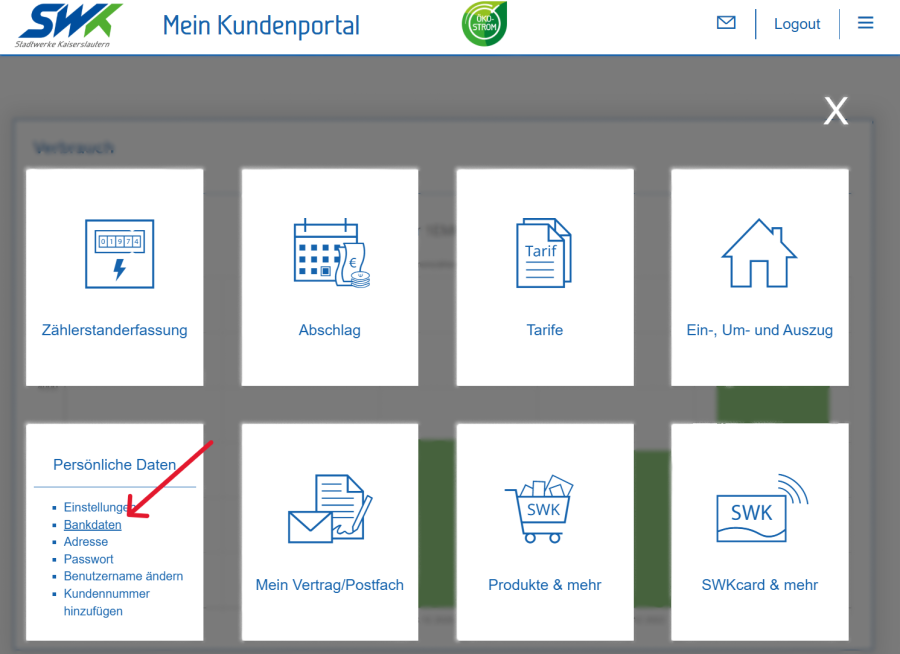
Kaiserslautern Municipal Utilities’ customer portal, offering options for meter readings, advance payments, tariffs, personal details and contract management.

Select the ‘Bank details’ section.

Please select the relevant contract account.

Please enter your new bank details.

Please check your details and save the changes.

Alternatively, you can also update your customer details via our customer service team.

You can make changes in person or in writing, by email, post or fax.

How can we help you?

Contact form

Do you have any questions about our products or services?

We’d be happy to advise you.

Go to the contact form

Book an appointment

Simply book your appointment online at the SWK Customer Service Centre.

Book an appointment now

Opening hours

Here you will find the opening hours of our branches.

We look forward to seeing you.

Our locations

Team SWK Kundenservice

Mon & Tue: 8 am – 5 pm
Wed: 8 am – 1 pm
Thu & Fri: 8 am – 5 pm