
How to update your bank details
You can easily update your registered bank details yourself at any time via the customer portal.
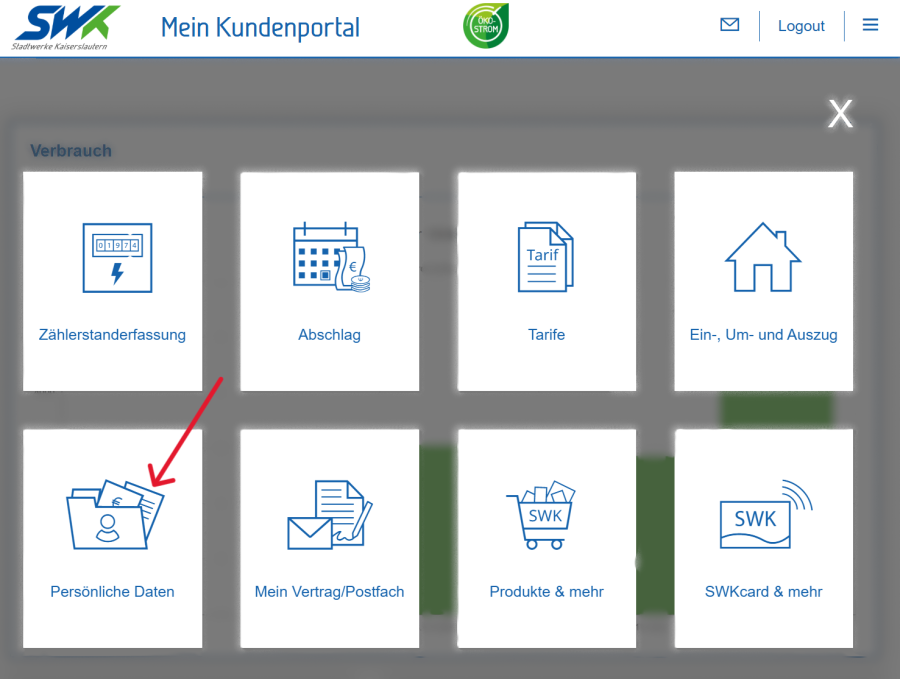
Log in to the customer portal.
Open the ‘Personal details’ tile.
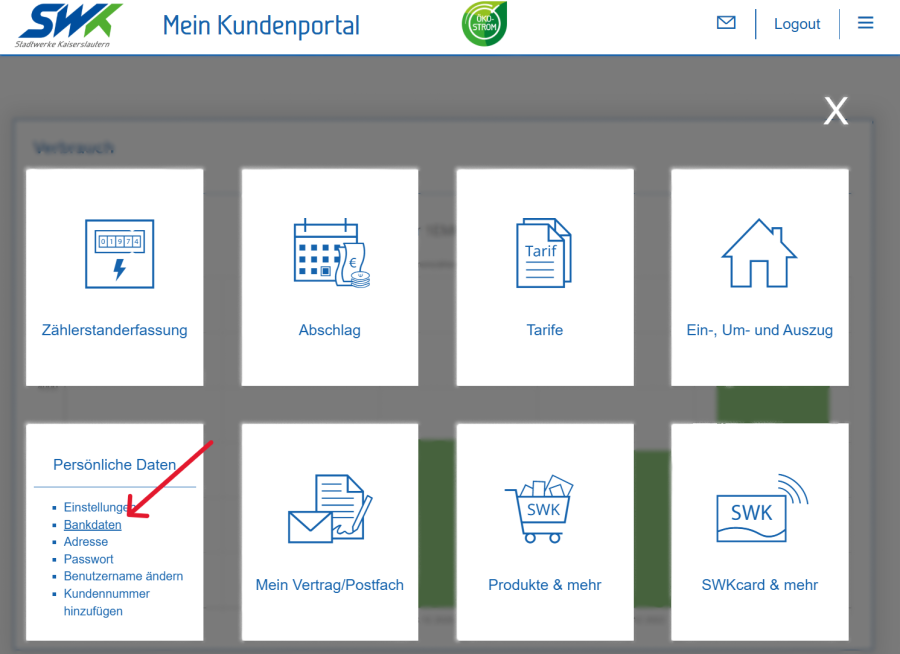
Select the ‘Bank details’ section.
Please select the relevant contract account.
Enter your new bank details.
Please check your details and save the changes.
Alternatively, you can also update your customer details via our customer service team.
Changes can be made in person or in writing, by email, post or fax.
