
How to submit your meter readings
You can easily enter your current meter readings online via the SWK customer portal. This ensures that your consumption is billed correctly.
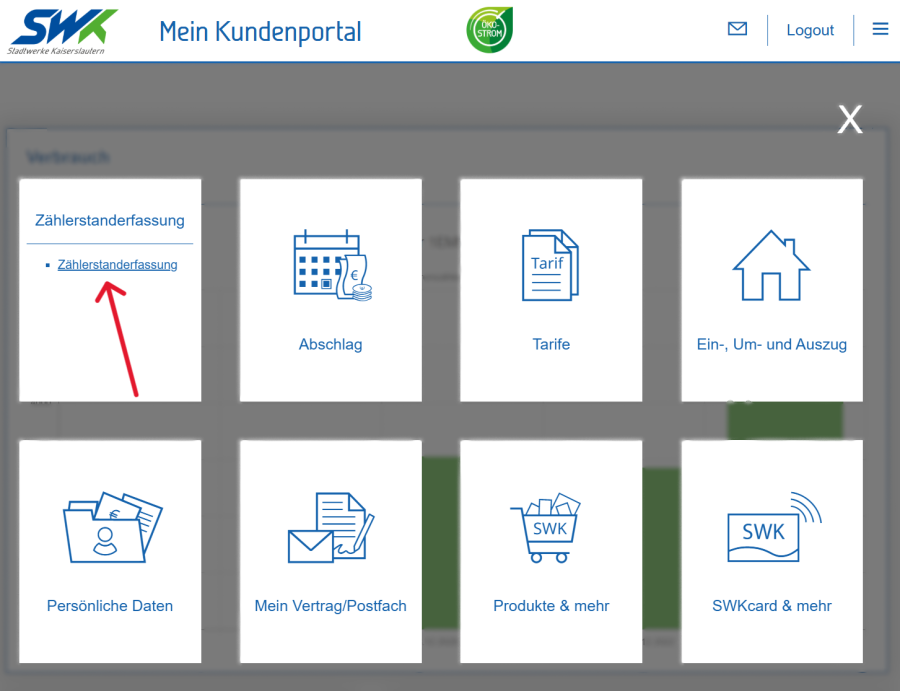
Log in to the SWK customer portal.
Open the menu and select the ‘Meter Reading’ tile.
Select the contract account you require and click "Next".
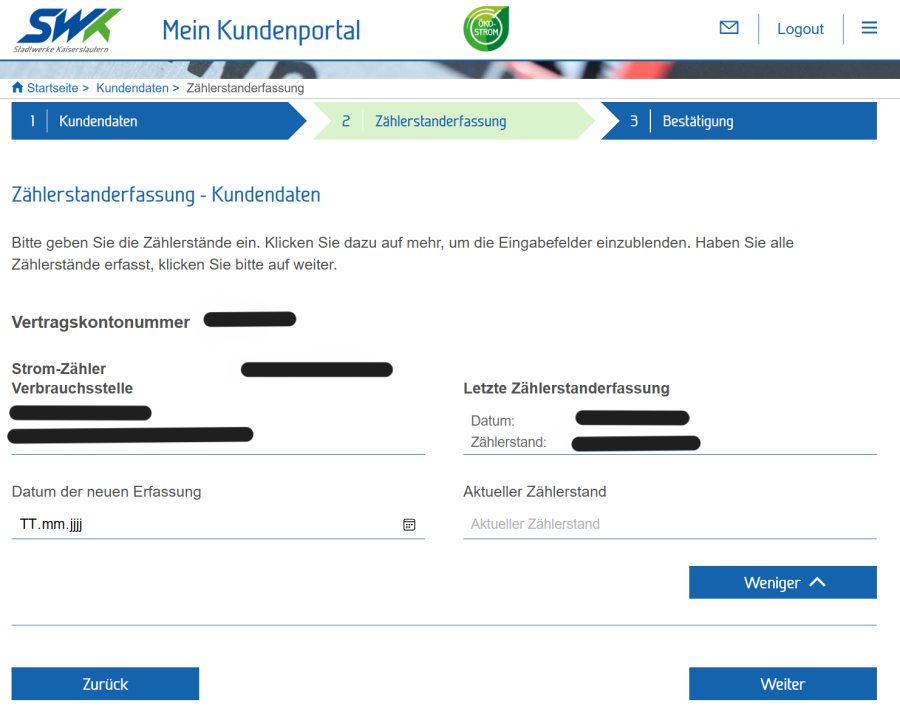
In the next step, the relevant meters will be displayed.
Enter the date of the reading and the current meter reading in the fields provided.
Click "Next", check your entries and complete the form.
