Back to overview

Report meter readings

Submit your meter readings quickly and easily via the customer portal

How to submit your meter readings

You can easily enter your current meter readings online via the SWK customer portal. This ensures that your consumption is billed correctly.
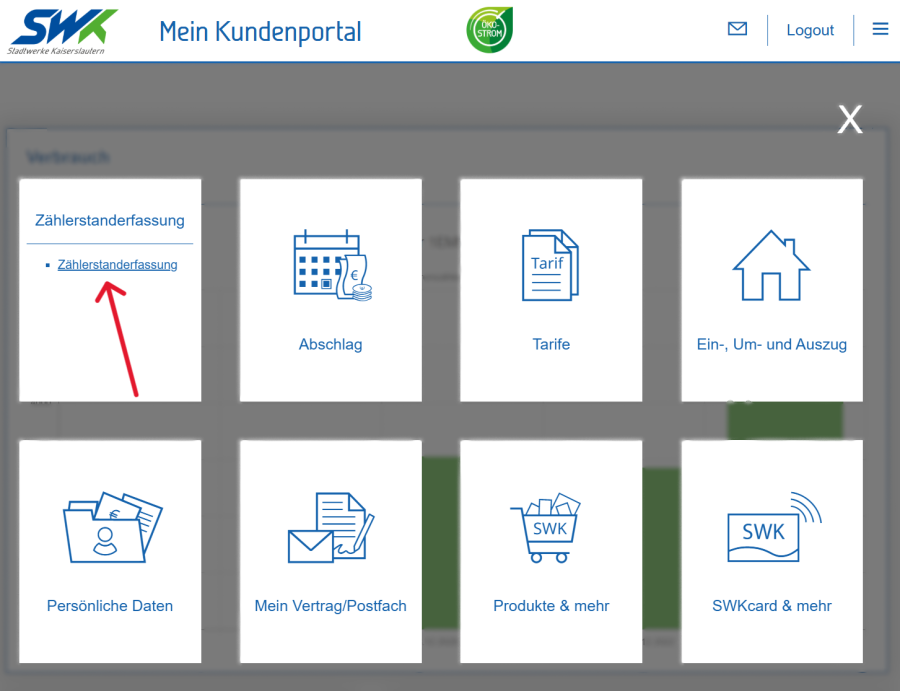
Stadtwerke Kaiserslautern customer portal, featuring functions for meter reading, a tariff overview, contract management and a personal area.

Log in to the SWK customer portal.

Open the menu and select the ‘Meter Reading’ tile.

Select the contract account you wish to use and click "Next".

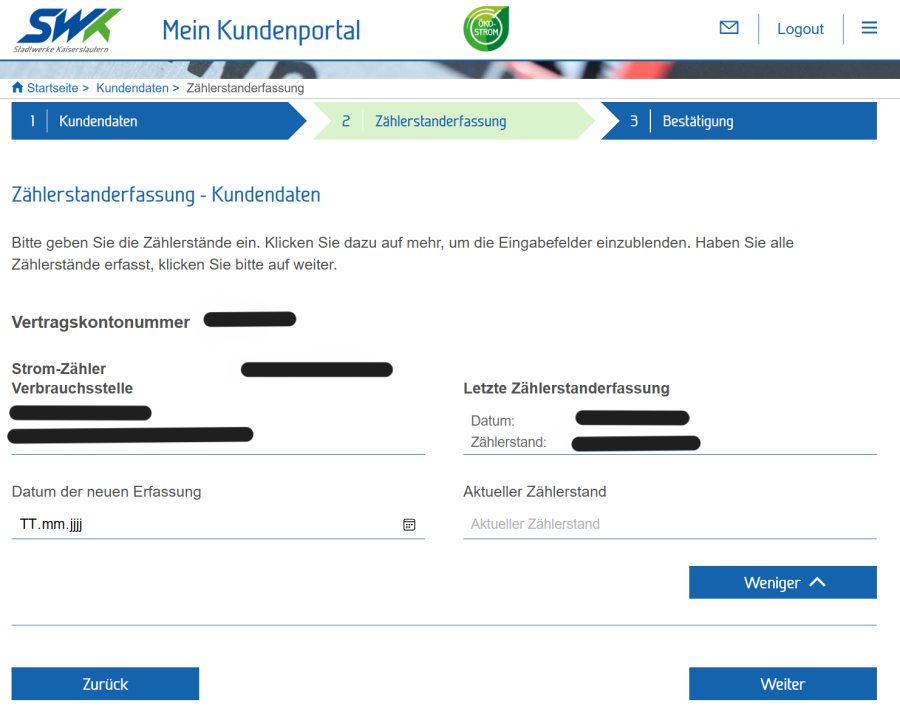
Enter your meter reading online via Stadtwerke Kaiserslautern’s customer portal to record your current electricity consumption.

In the next step, the relevant meters will be displayed.

Enter the date of the reading and the current meter reading in the fields provided.

Click "Next", check your entries and complete the form.

How can we help you?

Contact form

Do you have any questions about our products or services?

We’d be happy to advise you.

Go to the contact form

Book an appointment

Simply book your appointment online at the SWK Customer Service Centre.

Book an appointment now

Opening hours

Here you will find the opening hours of our branches.

We look forward to seeing you.

Our locations

Team SWK Kundenservice

Mon & Tue: 8 am – 5 pm
Wed: 8 am – 1 pm
Thu & Fri: 8 am – 5 pm